

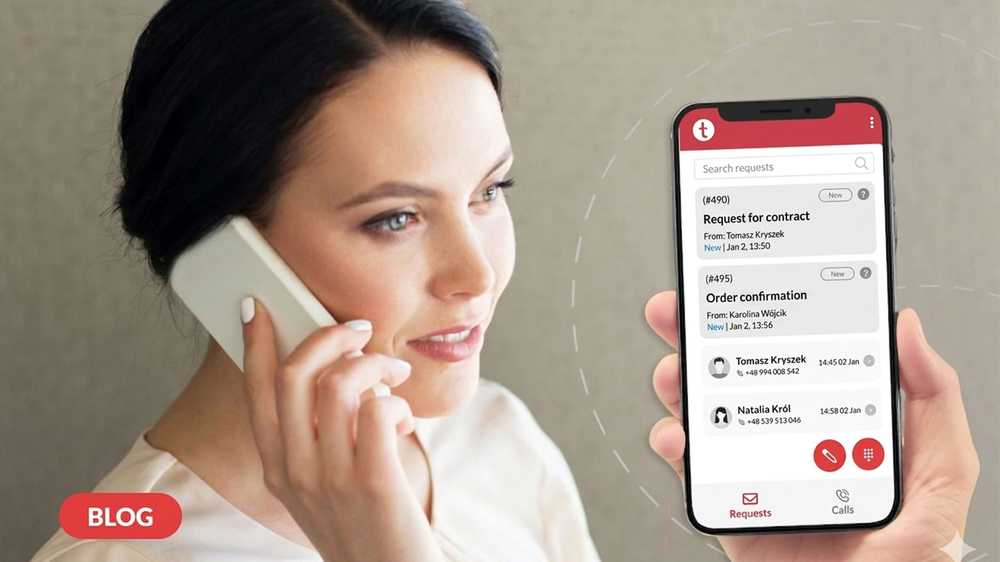
If you manage customer service, you know that contact doesn't end at 4:00 PM and doesn't always happen "at the desk". Customers send emails, return to topics after hours, and the helpline can suddenly spike. That's why Thulium offers a mobile application that allows you to maintain service continuity across two key channels: email (helpdesk / ticketing system) and phone (call center on Android).
Now, regardless of your location, you can access tickets on iOS and Android, plus phone call handling on Android.
What are Mobile Help Desk and Mobile Contact Center?
The market uses various terms, but the meaning is simple:
- Mobile help desk is the ability to work on email tickets and cases from your phone (a ticketing system in your pocket).
- Mobile contact center means transferring the key activities of an agent (and sometimes a team leader) to a mobile device, allowing them to serve the customer in any situation—remotely, after hours, or in the field.
Thulium Mobile Contact Center App for iOS and Android: Ticketing, Helpdesk, and VoIP Calls
Before deploying the app to your team, it's worth knowing one thing: the range of features depends on the operating system, but the goal is the same in both cases: fast customer service and working from anywhere.
Common Features (iOS + Android): Ticketing and Helpdesk Always Accessible
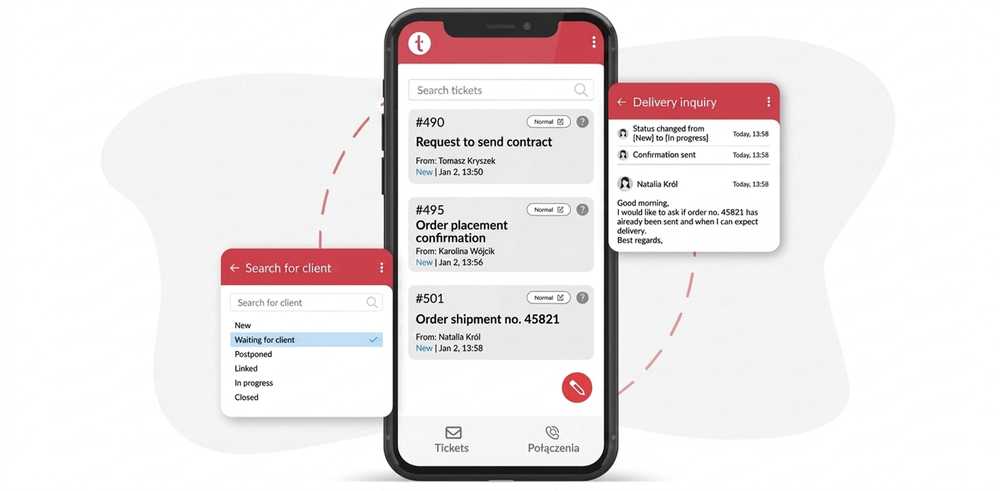
On both operating systems, the application gives you full access to working with tickets, including:
- Reviewing the ticket list and contact history
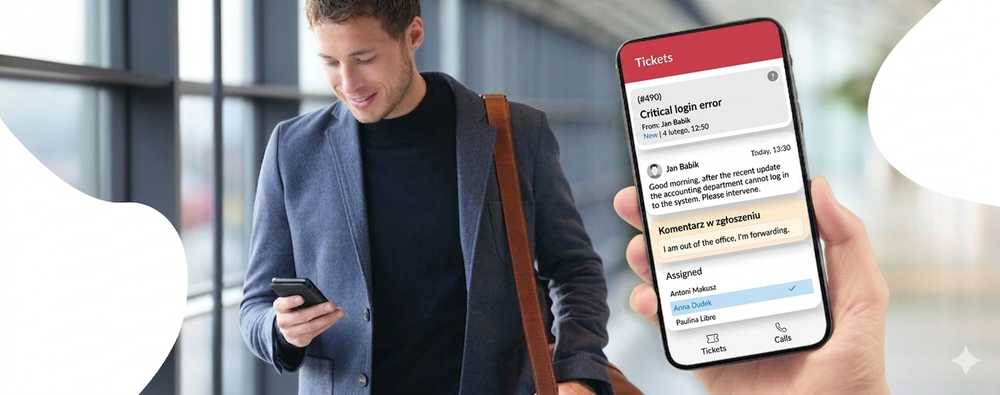
- Changing statuses, priorities, and assignments
- Transferring cases to the appropriate queues and people
- Quick replies (e.g., using templates) and notes for tickets
This is the foundation that most support teams use daily.

In-App Phone Features: Available in the Android Version
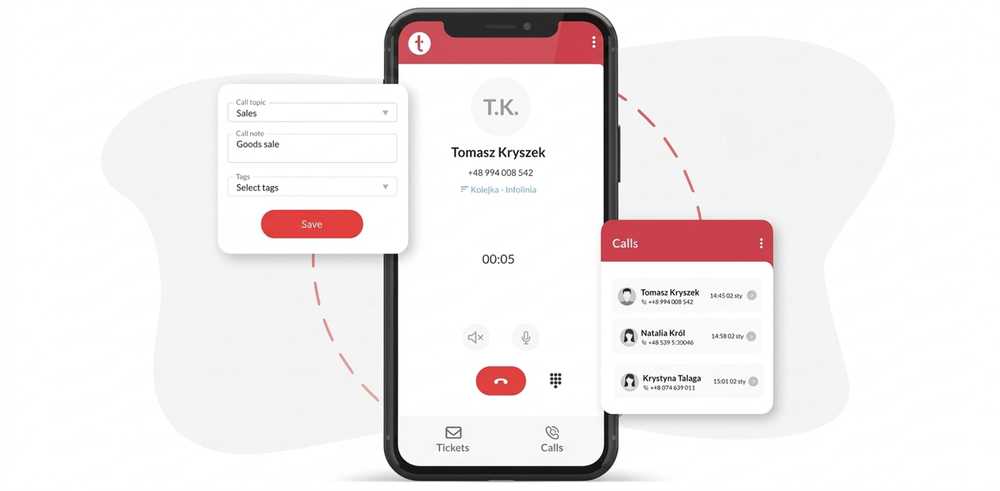
If call handling is also important in your process, Android additionally offers a phone mode in the app (softphone/VoIP), which includes:
- Receiving calls from the queue (helpline)
- Making outbound calls
- Working "on the phone" without a computer—with full context in the system.
Thanks to this, Android works perfectly for roles such as: phone duty, helpline cover, and work on the move (e.g., medicine/call center).
In short: regardless of your phone, you have access to tickets and the helpdesk—and if your team also handles calls in the app, the Android solution is worth considering.
Thulium Mobile – Contact Center in Your Pocket
The Thulium mobile app is an extension of your system:
- iOS (iPhone): Working on tickets (email / ticketing / helpdesk)
- Android: Tickets + in-app phone (VoIP/softphone) for handling calls in the call center
Watch our video and see how the Thulium mobile app works in practice.
What You Gain with Thulium Mobile?
With Thulium Mobile, your company can truly streamline customer service across email + phone channels without losing system integrity:
- Email Service Continuity – tickets don't wait until you return to your desk
- Faster Reactions and Fewer Backlogs – you update priorities and statuses immediately
- More Control over the Helpline (Android) – you can take over a queue at a critical moment
- Single Source of Truth – context remains in the system, not in private notes.

How to Start? 3 Steps to Launch the Mobile App for Your Contact Center
- Download the app for iOS or Android
- Log in (system address + user data)
- Start working:
- iOS/Android: Tickets (ticketing/helpdesk)
- Android: Additionally, launch the in-app phone (if you have a configured SIP account)
Important Information to Get Started
- iOS: The ticketing module works (ticketing/helpdesk)
- Android: The ticketing module + phone (call center) works
For telephony on Android, correct SIP account login and configuration are key, as is avoiding simultaneous "phone" login in the web panel (this is the most common reason why calls "don't come in immediately").
Summary
The Thulium mobile application is a practical answer to how modern customer service operates: remotely, hybrid, in the field, and during on-call duties. If you want to maintain the quality and speed of service in both email and phone channels, a mobile contact center is the natural next step.
FAQ - najczęściej zadawane pytania o aplikację mobilną dla contact center
The Thulium mobile app is a mobile helpdesk and mobile contact center tool that allows you to handle customer service directly from your smartphone. It enables remote, field, or after-hours work by providing full access to the Thulium system. With the app, agents can manage tickets, and on Android devices, they can also handle phone calls (VoIP).
Yes, this feature is available in the Android version. The Android app functions as a cloud-based phone (VoIP), allowing you to take calls from the queue, make outbound calls, and work on your headset while maintaining full customer context within the system.
Regardless of your operating system (iOS or Android), the app allows you to perform key helpdesk actions:
- Viewing the ticket list and contact history.
- Changing priorities, statuses, and agent assignments.
- Transferring cases to other queues.
- Sending quick replies (using templates) and adding internal notes.
For the calling module on Android to function properly, make sure your SIP account is configured. Important note: Avoid logging into the phone panel on your computer's web browser and the mobile app at the same time. This concurrent login is the most common reason why calls fail to route to the mobile device.
Proces uruchomienia składa się z 3 kroków:
- The setup process involves just 3 simple steps:
- Download the app from the store (App Store for iOS or Google Play for Android).
- Log in by entering your Thulium system URL and your user credentials.
- Start working – for Android, remember to additionally activate the phone module within the app if you want to handle voice calls.

Karolina Staszak
Product Marketing Manager


%2010pxcorner.png)
.jpg)
.jpg)